DiscoverIn: Web and mobile ecosystem for a veterinary university
Summary
- Scaled from 1 student at a time (physical models) to unlimited concurrent access across web + mobile.
- Saves 60 hours a month in technical support and gives the teaching team full independence to publish new models.
- Design system built from scratch now powers 3+ additional products commissioned immediately after launch.
- Hotspot configuration wizard replaced manual 3D placement; professors can upload and set up models independently.
Situation
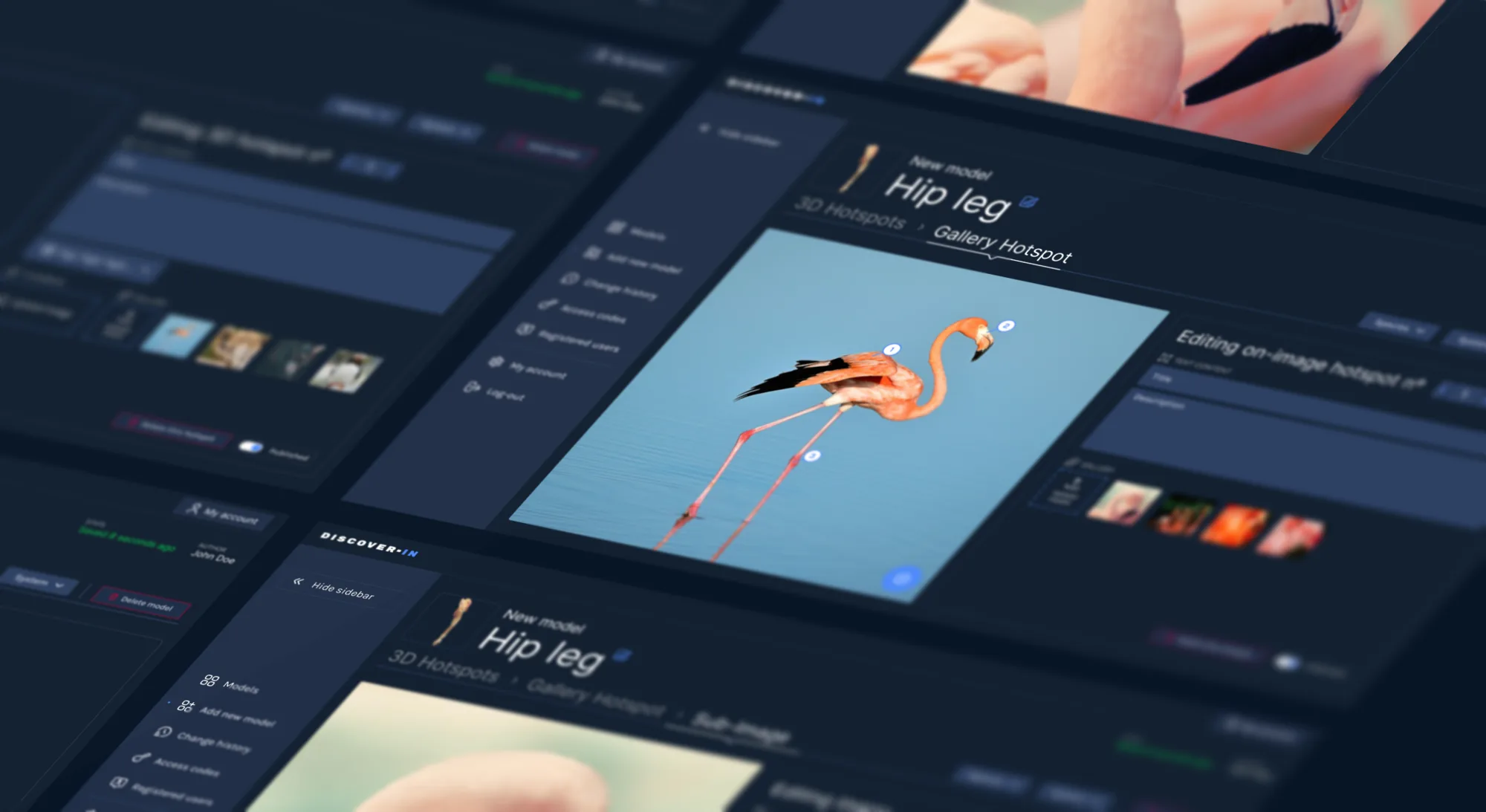
The client, a veterinary institute, was running an educational program based on physical models. This approach was not scalable and created bottlenecks in the classroom since only one student or professor could use the model at a time. They needed to move online to reach a wider audience. The main challenge was technical. We had to display highly detailed 3D models in web browsers and mobile apps, often with up to 100 data points per model, without crashing the performance.
Mission
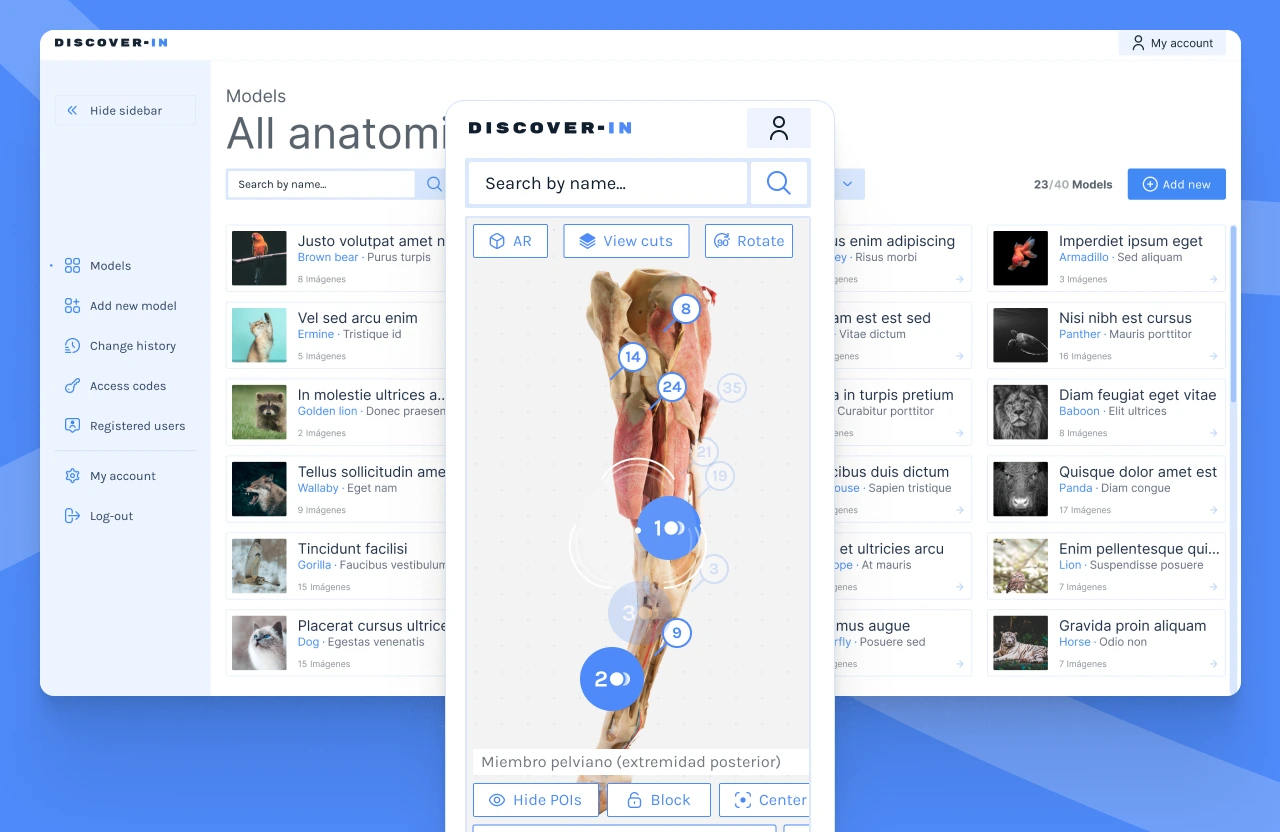
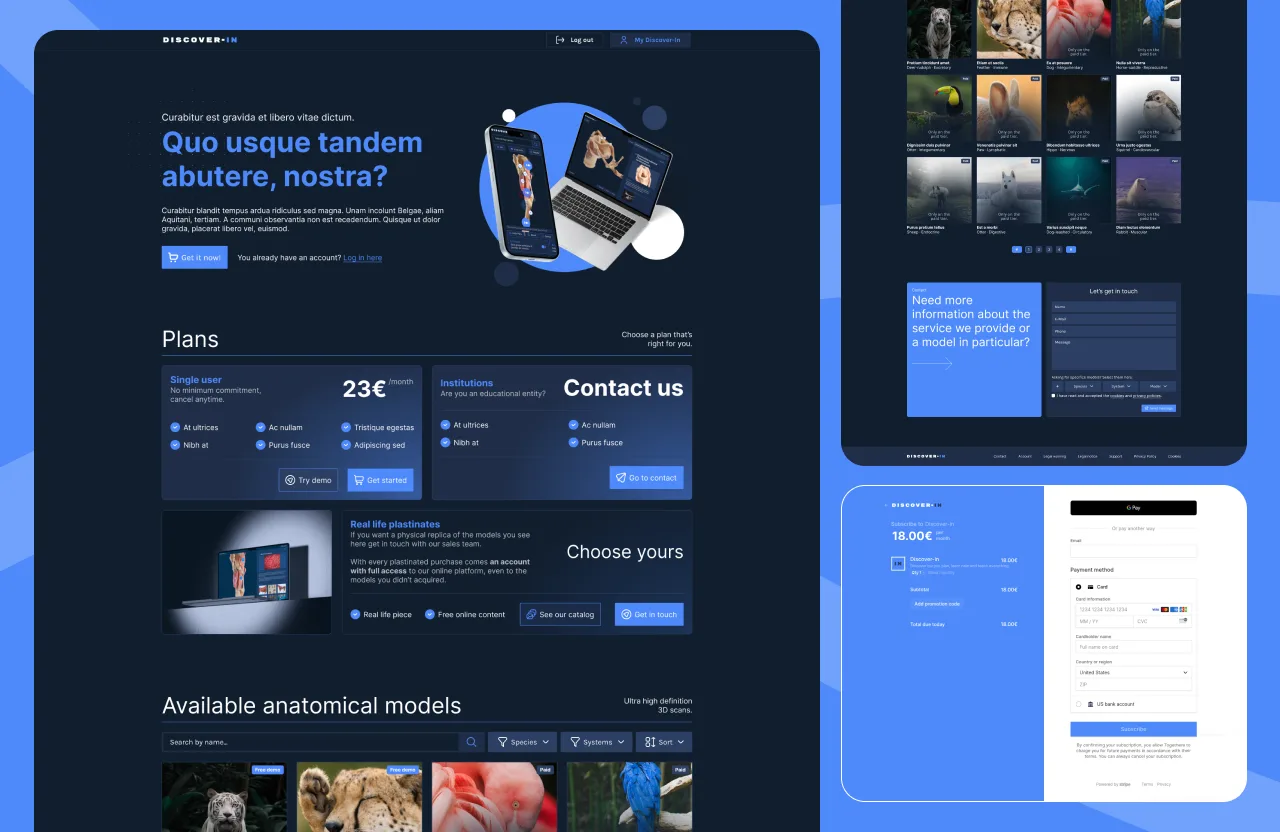
I was the sole designer on the project, working closely with the development team and university professors. My task was to create a complete digital ecosystem. This included a backend for managing the anatomical models and subscriptions, several promotional landing pages, and a cross-platform application for viewing and exploring the 3D content. I needed to ensure that complex biological data was easy to consume and that the professors could upload and configure the models themselves.
Time to work
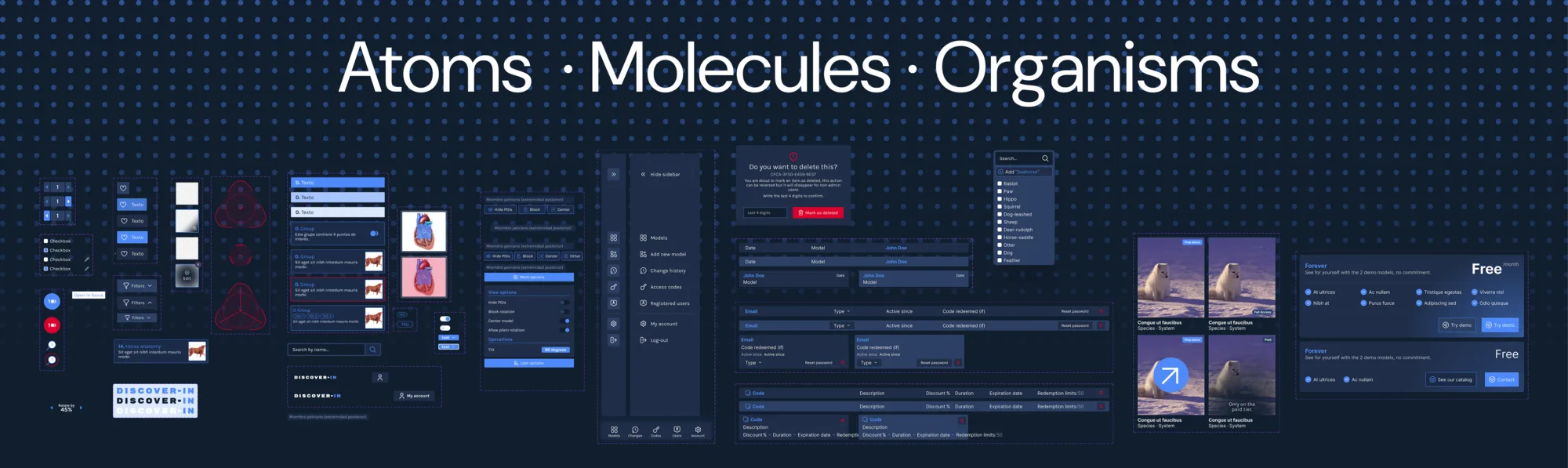
I started by benchmarking against e-learning platforms like Udemy to understand standard user flows, while looking at the gaming industry for inspiration on intuitive 3D navigation. Because the project scope included multiple future products, I built a comprehensive Design System early on to ensure consistency across web and mobile.
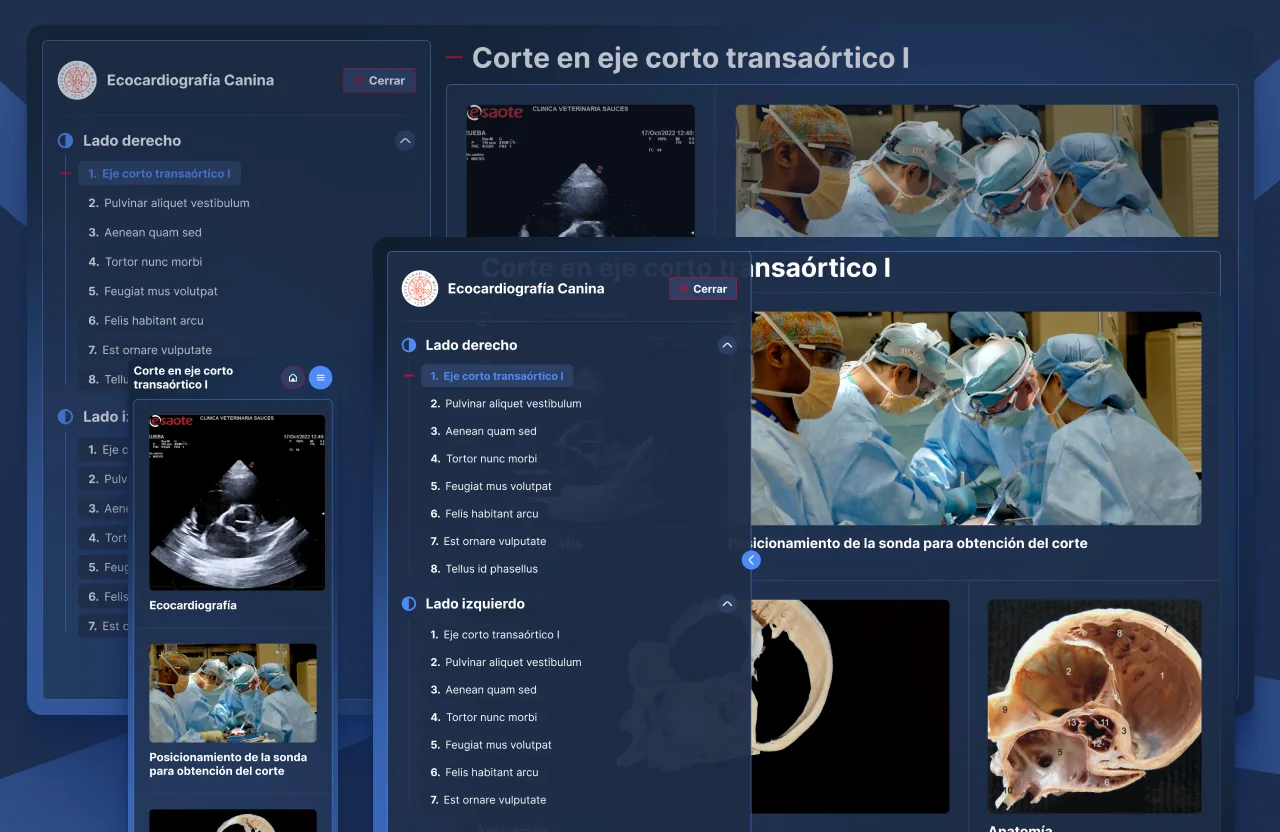
The system had to work on mobile and web with the same visual language. I set up a shared Figma component set with platform-specific variants: bottom navigation on mobile, sidebar on desktop, same data visualization components underneath. The 3D viewer with interactive hotspots was also componentized, so the dev team could reuse it across different anatomical models without rebuilding the UI each time.
The most complex part was the configuration interface. Professors needed to place hotspots in a 3D space manually. I created a wizard that guided them through the upload and setup process step by step. This transformed a potentially frustrating technical task into something visual and intuitive, simulating the feeling of manipulating the object with your hands.
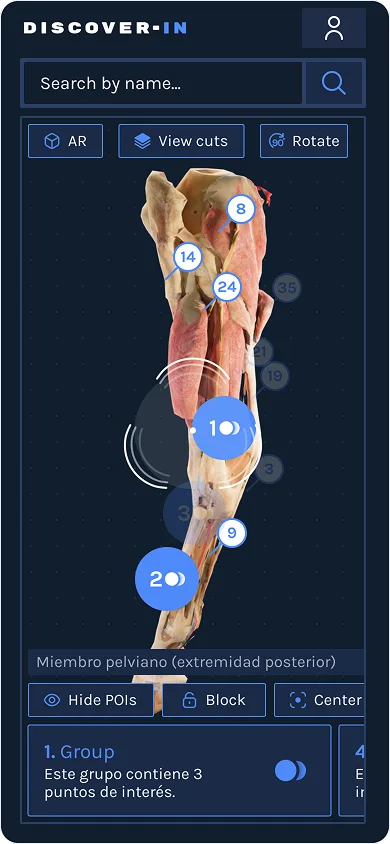
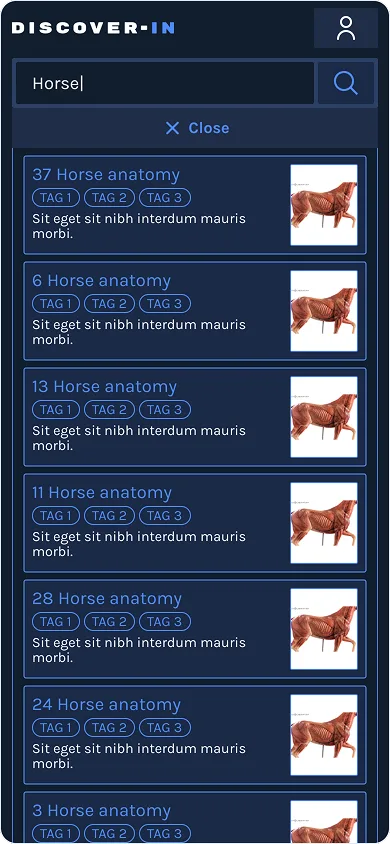
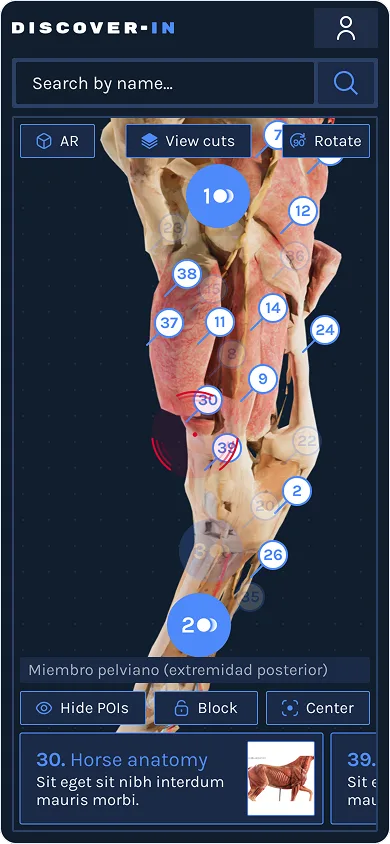
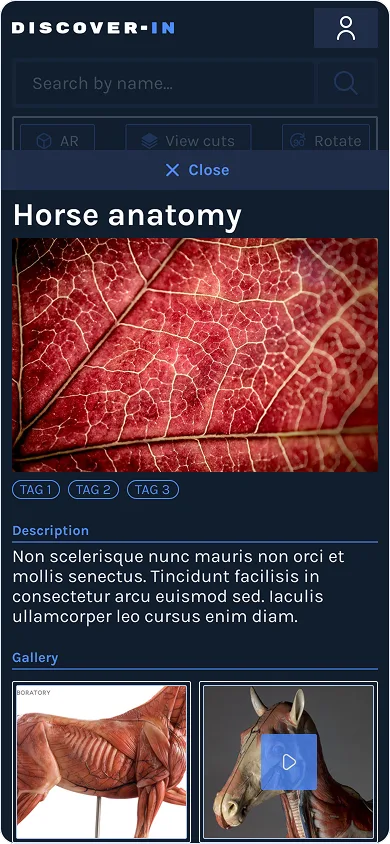
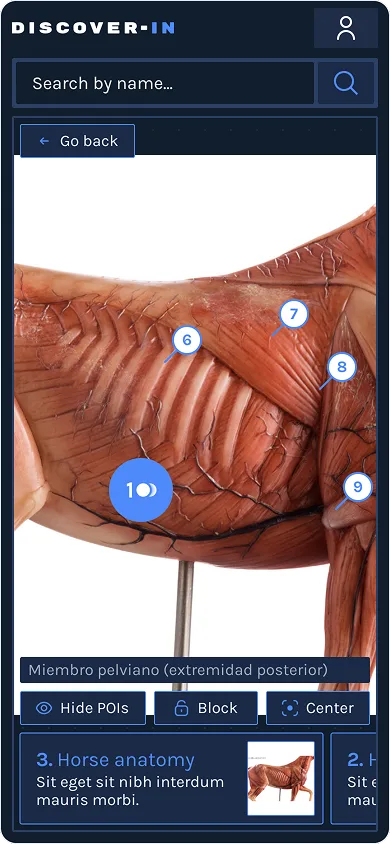
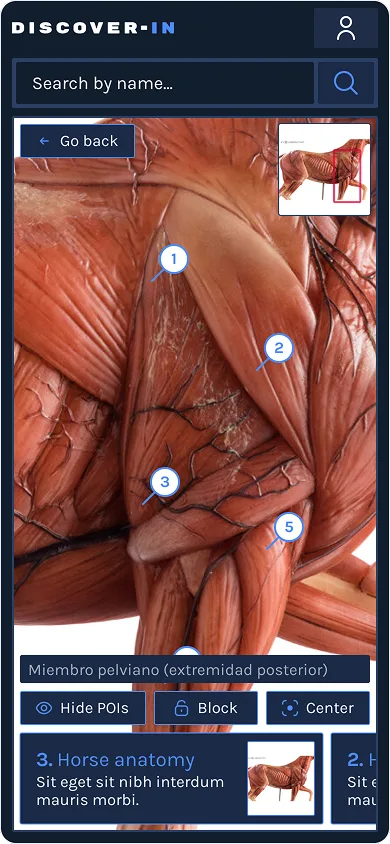
During the design phase, some stakeholders pushed for experimental, futuristic controls for the 3D viewer. I had to push back. I explained that while it looked cool, the usability risk and development cost were too high. We stuck to standard but creative, proven interactions to ensure the students could focus on learning, not on figuring out the interface.
Results
The project launched successfully and the client was very satisfied. The tool allowed them to scale their business beyond the physical classroom, leading to a significant increase in revenue. The impact also showed up in daily operations:
- 60 hours a month saved in technical support, since professors no longer depend on the team to manage the content.
- Teaching team fully independent to publish new models on their own, without waiting for designers or developers.
They were happy enough with the results to immediately commission more products and landing pages to expand the ecosystem. The design system I created is now being used to develop these new additions efficiently.
What I’d do differently
I’d benchmark the time professors spent setting up physical models before designing the digital equivalent. I’d also run usability tests on the 3D viewer with actual students earlier, some of the navigation patterns we assumed were intuitive needed iteration. And finally I would’ve joined all components of the design system on a single core document, for easier maintenance.